


Speak Logic Information Analysis for MS Office
version 1.1 |  windows
windows
Name: Speak Logic Information Analysis for MS Office
Version: 1.1
Size: 30.44 MB
Category: Office Add-ins
License: Free
Released: 2011-06-15
Developer: The Speak Logic Project
Downloads: 1215
Version: 1.1
Size: 30.44 MB
Category: Office Add-ins
License: Free
Released: 2011-06-15
Developer: The Speak Logic Project
Downloads: 1215
| Rate this software: |

msi | 30.44 MB
Description
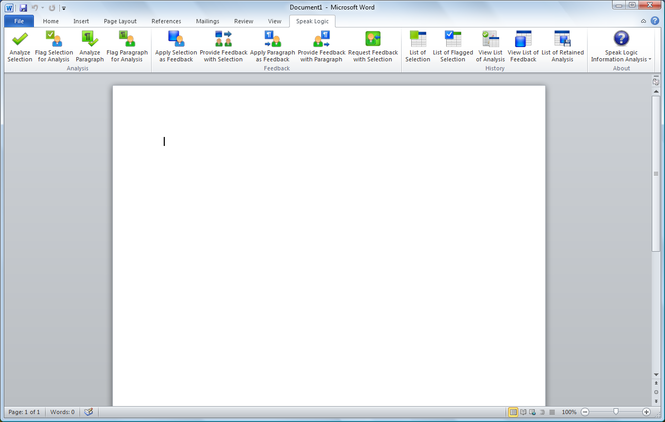
The Speak Logic Information Analysis for Microsoft Office enables the analysis of information and communications within Microsoft Word, Microsoft Outlook and Microsoft PowerPoint. For instance, while reading an email, users may find that the content of that email needs to be analyzed. By using the Speak Logic Information Analysis for Microsoft Office, users can select the portion of that email that is needed to be analyzed, and then analyze it. Users can also flag a portion of an email that is needed to be analyzed, and then analyze it later.While working in a document in Microsoft Word, a user can identify a paragraph or a portion of a paragraph that’s needed to be analyzed, that user can simply use the Speak Logic Information Analysis to analyze that paragraph or the portion of the paragraph of document that’s need to be analyzed. In addition to Microsoft Word and Microsoft Outlook, the Speak Logic Information Analysis for Microsoft Office also works with Microsoft PowerPoint. For instance, while reading a document or presentation in PowerPoint, a user can flag a portion of that document then apply it as feedback.
Screenshots
Similar Software
PlusX Excel Add-In Ribbon Finder for Office Home and Student 2007 2.1.0.13Bytescout XLS Viewer 2.31CopyTexty Outlook NameDays 3Excel-Accelerator Office Ribbon Editor 4.2.0Office Tab Free Edition 8.5Outlook Meetings Addin SQL Drill Freeware authorSTREAM Desktop - PowerPoint Add-in Adolix Split and Merge PDF 2.1CodeTwo CatMan 3.2Microsoft Office 2010 Service Pack 1 Gantt Chart Template for Excel


