


Extra Screen Capture Free
version 8.25 |  windows
windows
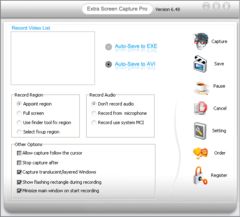
Name: Extra Screen Capture Free
Version: 8.25
Size: 758.24 KB
Category: Screen Capture Software
License: Free
Released: 2012-02-03
Developer: Extra Global Creativity
Downloads: 862
Version: 8.25
Size: 758.24 KB
Category: Screen Capture Software
License: Free
Released: 2012-02-03
Developer: Extra Global Creativity
Downloads: 862
| Rate this software: |

exe | 758.24 KB
Description
Extra Screen Capture Free is an easy to use, powerful and lightweight screen recording program. It can capture screen activities and sounds to standard AVI video file or EXE file. If you move the cursor, launch a program, type some text, click buttons, select some menus - anything you see on the screen - Extra Screen Capture Free will record all these, and sound from your system microphone.With this useful program, you can create demo videos that record what's happening on your PC desktop screen. Audio can also be recorded from any source, including microphone, line-in, or speakers. Extra Screen Capture Free is an ideal tool to make software demonstrations, develop videos for training and tutoring.
Extra Screen Capture Free lets you:
Capture and record everything that happens on your computer screen - mouse movements, clicks, keyboard entries, and more - to a video file.
Record with sound, and add your own narration.
Capture your training presentation in a video file that can be used to train people without having to travel to their location.
Record your users to see what steps and missteps they are taking with your programs.
Adjust audio and video compression rates and frame rate.
Export your video for use with iPods and iPhones.
Key Features of Extra Screen Capture Free:
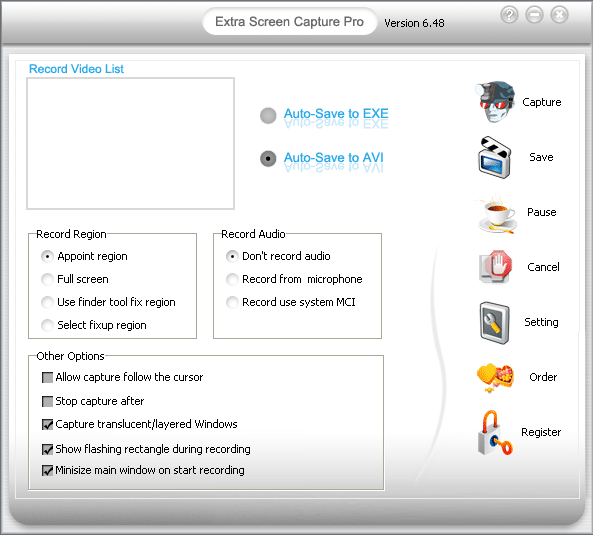
(1)supports system-wide hotkeys to start, pause, stop screen recording.
(2)Easy precision visual screen area or window selection.
(3)Optional sound recording, with choices for recording quality.
(4)Show flashing rectangle when screen recording or paused.
(5)Capture in any screen color depth.
(6)Multiple video compression choices.
(7)Screen recorder recording frame rate and video compressor choices.
(8)Screen recorder audio compressor choices.
(9)Configure video compressor.
(10)Mouse cursor recording can be turned on or off, true shape of the cursor is recorded.
Screenshots


Similar Software
Extra Screen Capture Free 8.25Web Screen Capture Magic Screenshot WonderWebware.com Screen Capturer 2.0Apowersoft Screen Capture Pro Google Maps Grabber Screen Recorder Pro 6.0.0.1Capturino 2.32Charny Screenshot tool Icecream Screen Recorder 3.68Snappy Screenshoter 7capture Jet Screenshot 3.0Click and ShareIt


