


ClearType Switch
version 1.1 |  windows
windows
Name: ClearType Switch
Version: 1.1
Size: 411.84 KB
Category: OS Enhancements
License: Free
Released: 2011-10-10
Developer: Karpolan
Downloads: 1033
Version: 1.1
Size: 411.84 KB
Category: OS Enhancements
License: Free
Released: 2011-10-10
Developer: Karpolan
Downloads: 1033
| Rate this software: |

exe | 411.84 KB
Description
Options for text anti-aliasing ("Smooth edges of screen fonts") and ClearType are located in different places depending on Windows version. This is very annoying and confuses users much! In Windows XP all these options are accessible via "Display properties" -> "Appearance" -> "Effects". Quite logical, isn't it?
In Windows Vista, if you have Aero enabled, you'll have to click on "Open classic appearance properties for more color options" in "Window Color and Appearance" Control Panel applet. A little bit strange...
Windows 7 went even further! You cannot turn off ClearType without completing a useless wizard :) I've wasted about 15 minutes looking for the "smooth font edges" option but wasn't able to find it at all! Only googling helped to solve this quest. The option was separated from ClearType settings and moved to "Control Panel" -> "All Control Panel Items" -> "Performance Information and Tools" -> "Adjust Visual Effects", in a huge list of checkboxes there is a "Smooth edges of screen fonts" item... Insane!
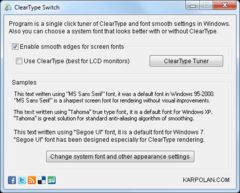
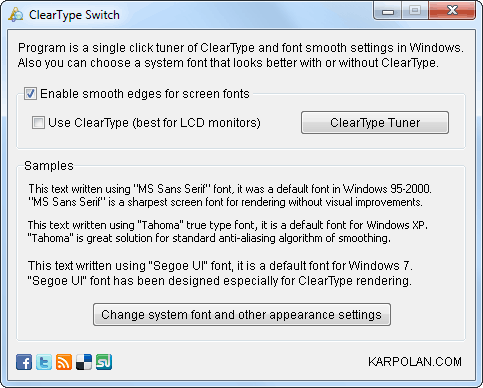
I don't like what Microsoft does with Windows usability. And I don't want to spend my time digging in future versions of their system. So I've created a small program that keeps Smooth edges and ClearType options in a same place. It's ClearType Switcher.
Screenshots
Similar Software
PC Brother System Care Paragon Go Virtual (64-bit) Pokki Windows Speech Recognition Macros DevxExec Vistalizator 2.51Advanced Privacy Cleaner DiskMax 4.71Start Menu X 5.20Room 12A Free Screensaver a shutdown-restart icons 2011aPC Brother System Maintenance Magic Fingers Hot Key Launcher MouseImp Pro Live! Windows 7 Service Pack 1 (SP1)


